Langdock Integration
Langdock is an enterprise-ready AI platform for creating private agents in minutes—no code required. Deploy via secure chat, Slack, or API.
When connected to Langfuse, every Langdock agent execution is automatically traced and visualized.
Setup
Get Langfuse API keys
- Sign up at cloud.langfuse.com or self-host your own instance
- Go to Project → Settings → API Keys and copy your keys
Add Langfuse as logging provider in Langdock Agent Settings
- Open the Langdock
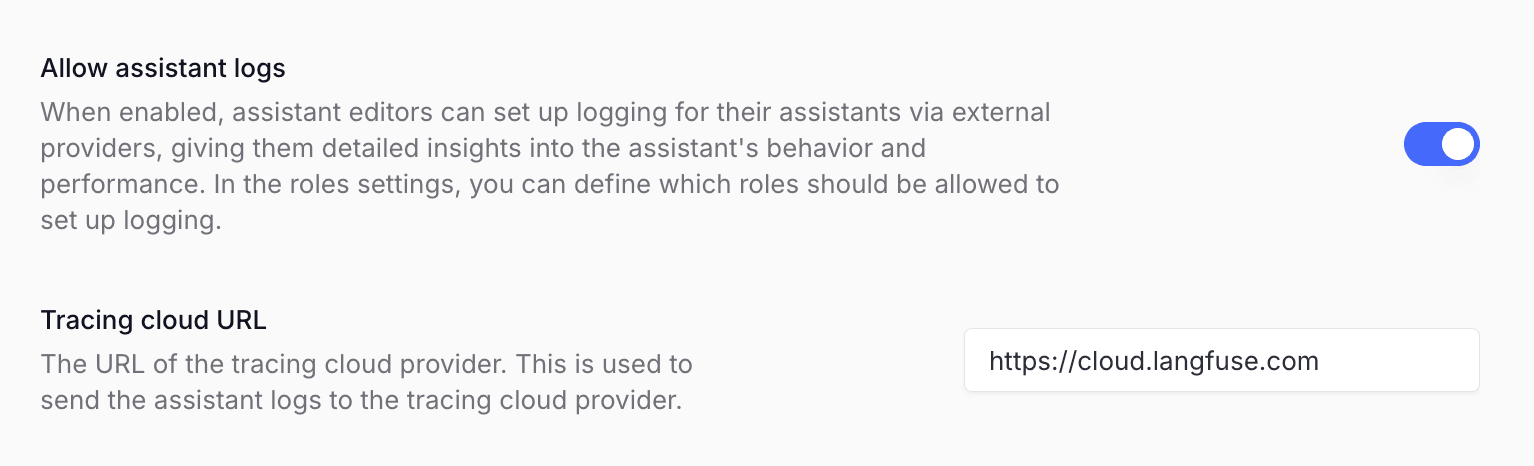
Workspace Settings - Navigate to
Agentssettings - Enable
Allow agent logs - Add your Langfuse host as
Tracing cloud URL, e.g.https://cloud.langfuse.com(EU),https://us.cloud.langfuse.com(US),https://jp.cloud.langfuse.com(Japan), orhttps://hipaa.cloud.langfuse.com(HIPAA)
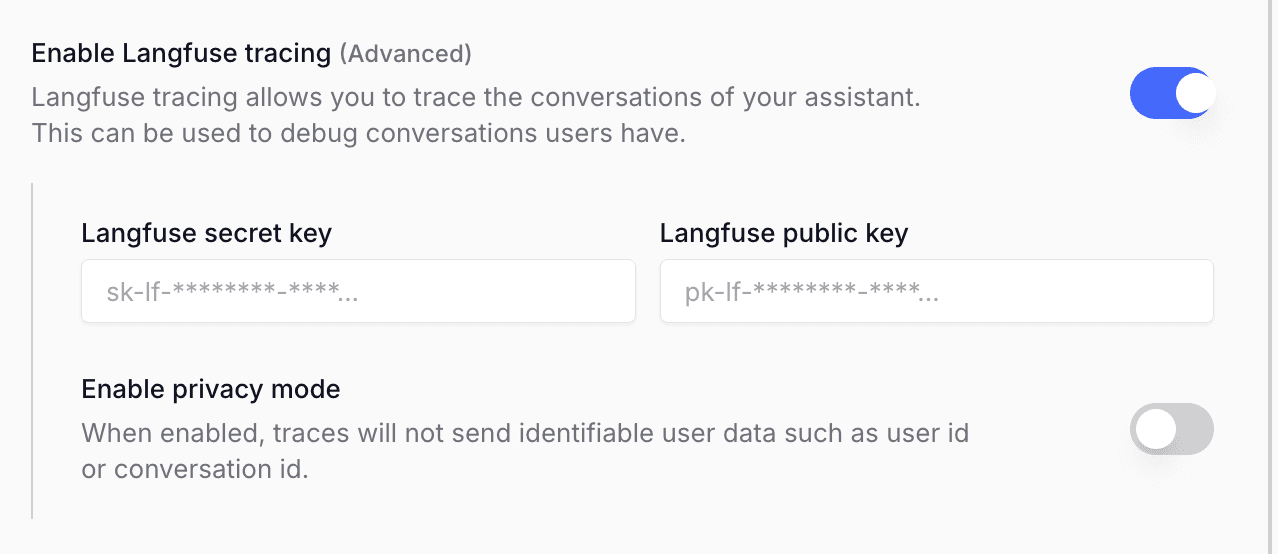
Enable tracing when creating an agent
- Open Agents → New agent in Langdock
- Configure your agent
Enable Langfuse tracingand add your Langfuse keys- Click
Save
Your agent conversations will now stream traces to Langfuse automatically.
Resources
Was this page helpful?
Last edited


